




If Smarters Pro App is not working properly we’ll use another great app which is XCIPTV Player.
1.We will first install the Downloader app
This app will help you sideload IPTV Smarter on FireStick (because browser downloads are not allowed)
You may also read our detailed guide on how to sideload apps on FireStick with Downloader
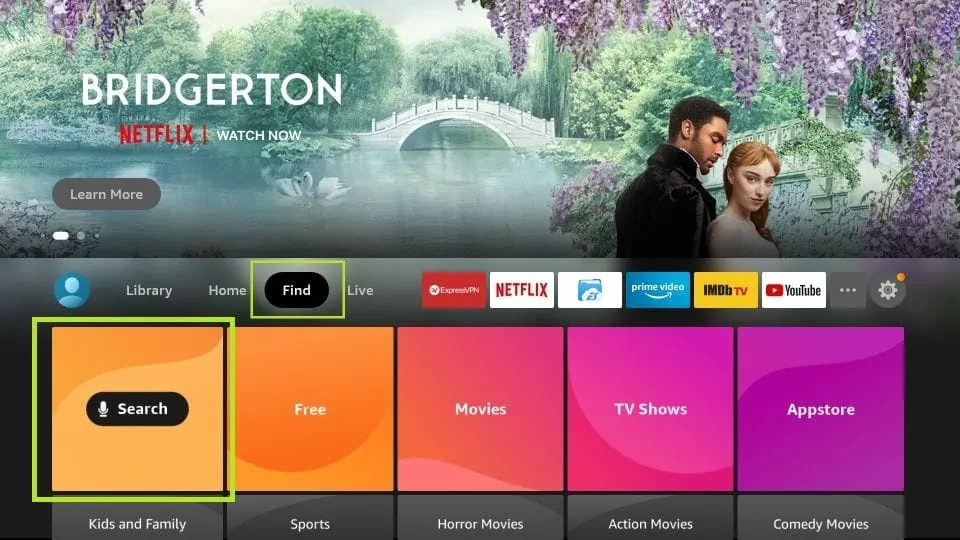
2. Click the Find > Search option on the home screen of FireStick
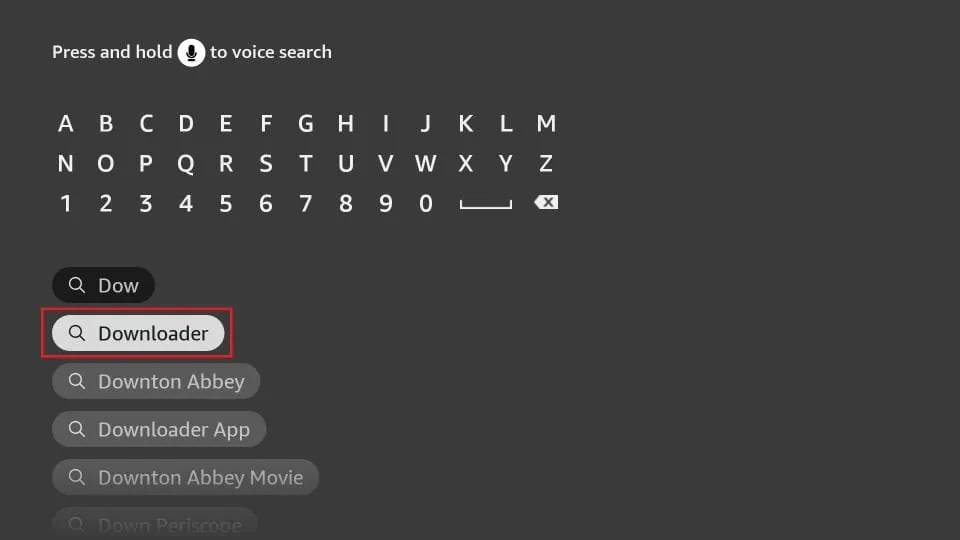
3. Type the name of the app (which is Downloader)
Click the Downloader option when it is displayed in the search results
Choose the Downloader icon on the following screen and download and install the app
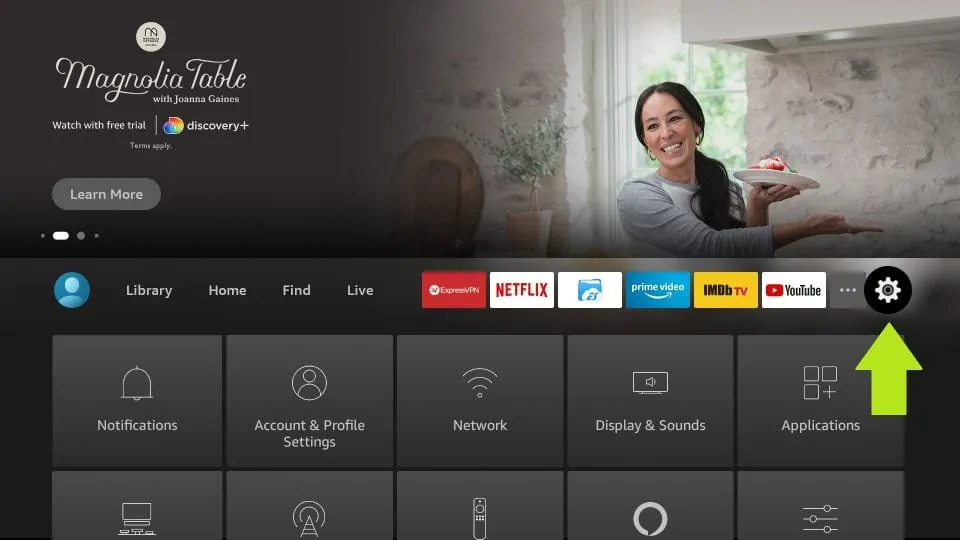
4. Get back to the home screen of FireStick after installing the Downloader app
In the menu bar, click Settings
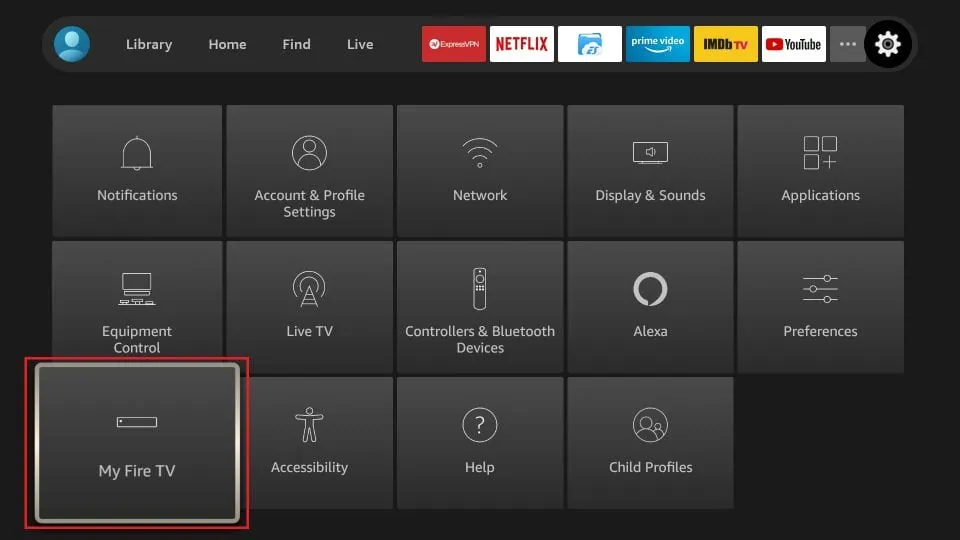
5. In the Settings, choose the option My Fire TV
6. When the following set of options are displayed on the next screen, click Developer Options
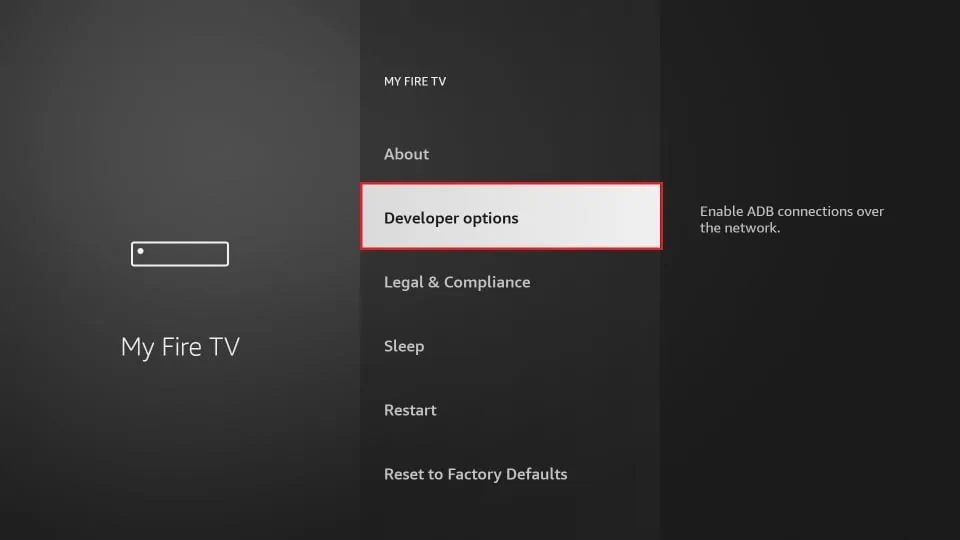
7. Click Install from unknown apps
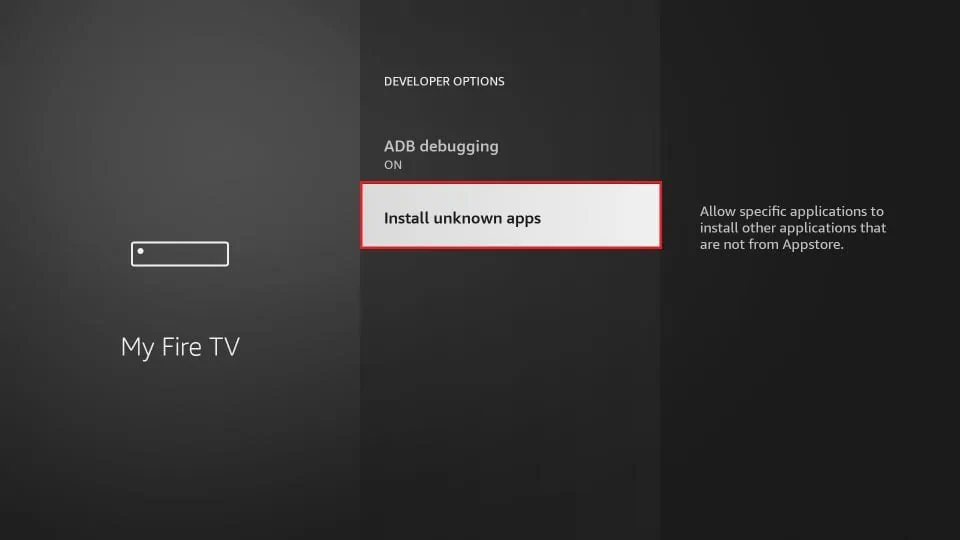
8. Click Downloader to change the status to ON
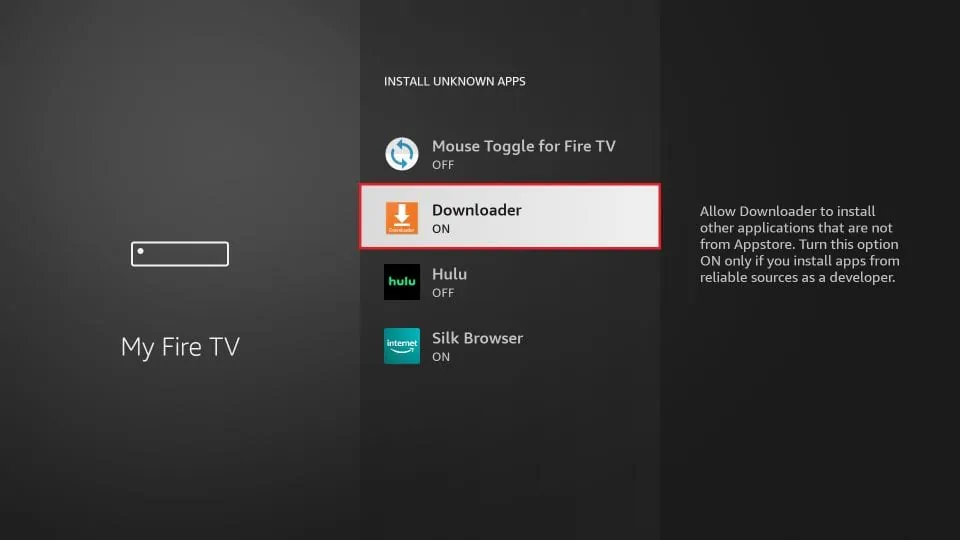
With this, you have configured the FireStick settings to allow the installation of IPTV Smarters and other third-party apps. Follow the steps below:
9. You may now open the Downloader app
When you run this app for the first time, a set of prompts will appear. Dismiss them until you see the following screen
On this screen, you need to click the URL textbox on the right side (make sure Home option in the left menu is selected) where it says ‘http://’
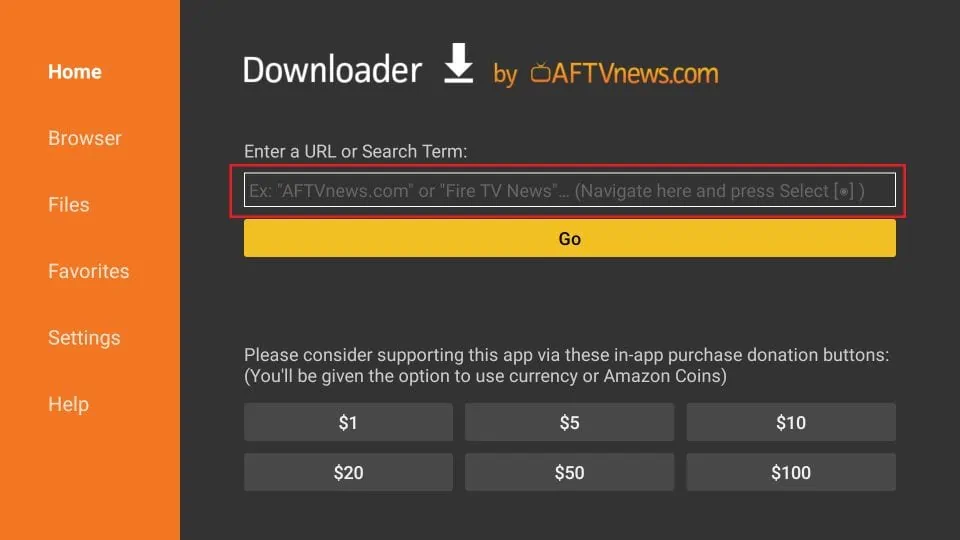
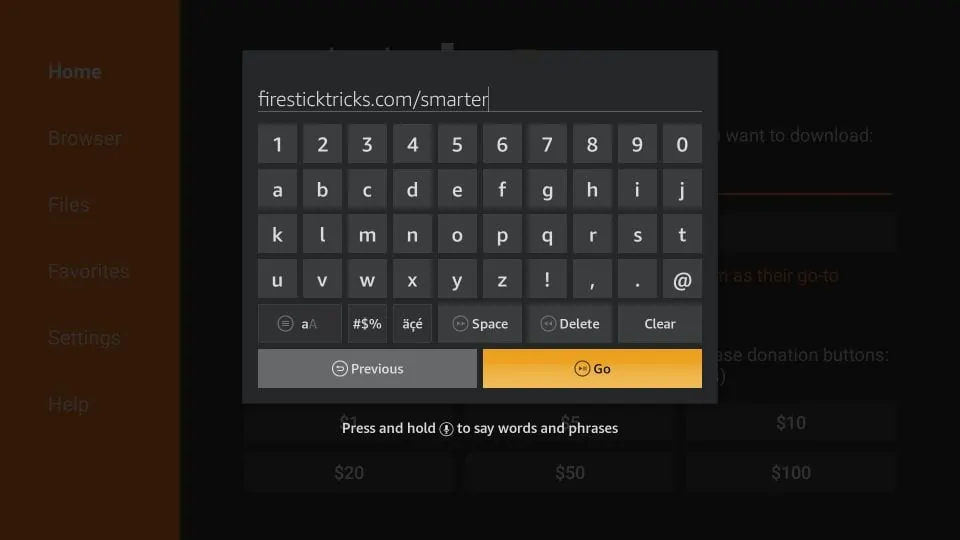
10. Go ahead and enter the following path on this window: troypoint.com/xc
Click GO
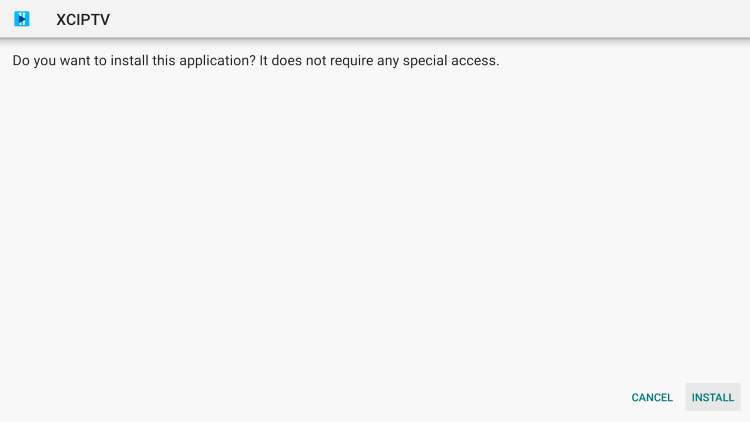
11.Click Install.
Give it a minute or two until the IPTV Smarter is downloaded onto your FireStick device
12. Click Done.
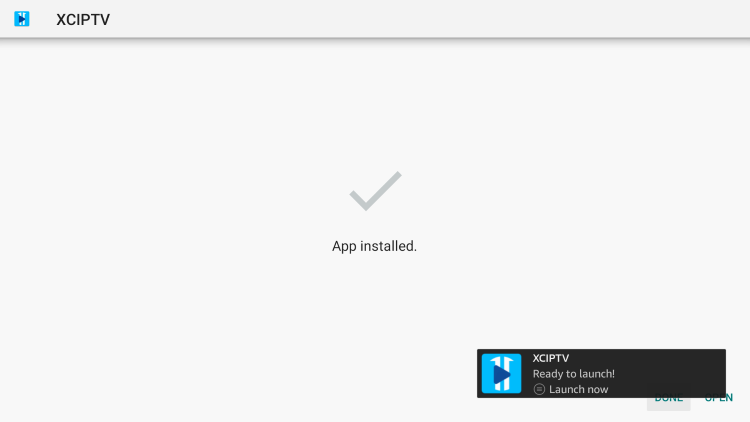
13. Launch XCIPTV and wait a few seconds for the app to load.

14. You have successfully installed XCIPTV APK on your device.
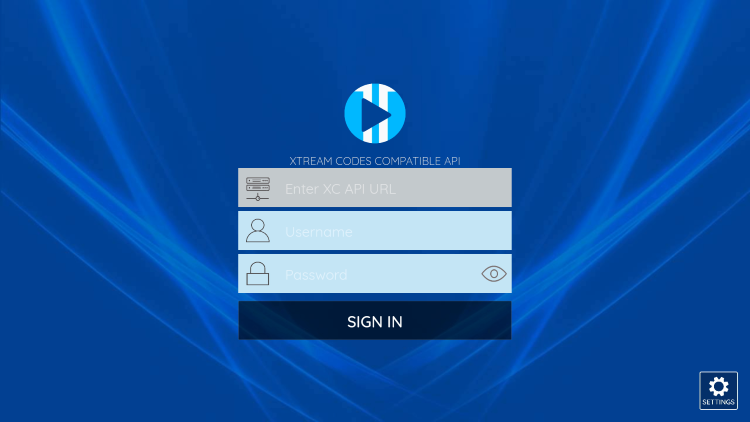
Continue below for setting up XCIPTV on your preferred streaming device.
How to Setup XCIPTV
When first launching XCIPTV you are prompted to enter login information for your IPTV service.
As mentioned previously, this can be done through Xtreme Codes API or using an M3U URL. This information can usually be found within a confirmation email.
Enter your IPTV service login credentials and click Sign In when finished.
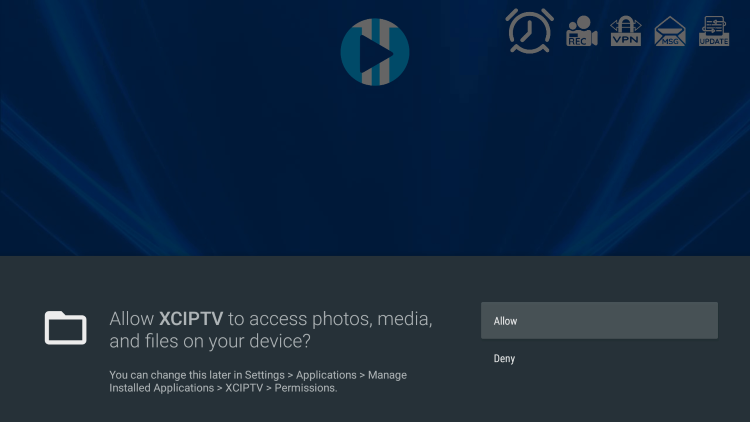
Click Allow.
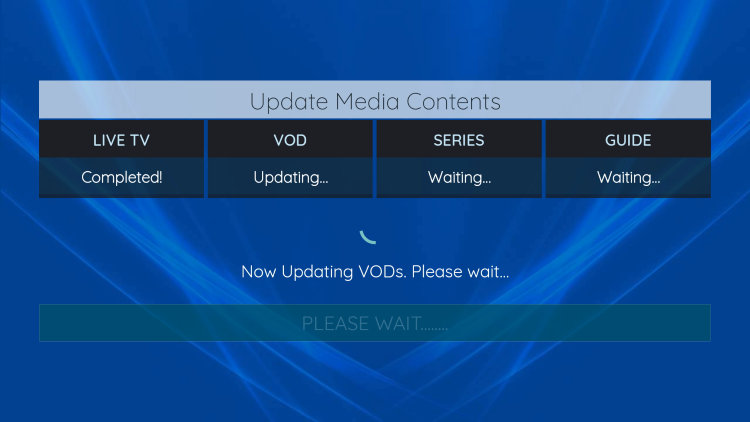
Wait a minute or two for the media contents to load.
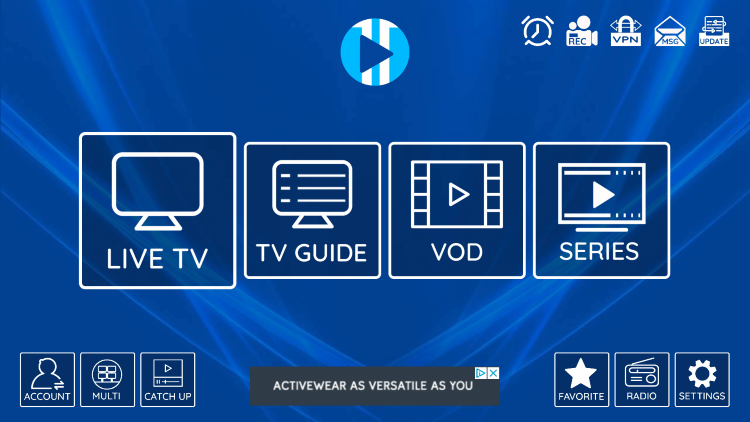
That’s it! You have successfully set up XCIPTV APK with your preferred IPTV service.
How To : Guide Complet
Notre service propose how to dans tous nos abonnements IPTV premium. Avec une qualite de streaming HD et 4K, vous beneficiez de la meilleure experience de visionnage. Compatible avec tous vos appareils : Smart TV, Android, iOS, PC et tablette, notre plateforme vous permet de profiter de vos contenus preferes quand et ou vous voulez.
Votre abonnement avec how to vous donne acces a plus de 27 000 chaines francaises et internationales, ainsi que des milliers de films et series en VOD. Sports, cinema et divertissements en streaming continu sont disponibles sur iptv-supra.fr. Notre infrastructure garantit un service stable, fluide et sans coupures, disponible 24h sur 24 et 7j sur 7.
How To : Pourquoi choisir iptv-supra.fr
Iptv-supra.fr se distingue par la qualite de how to et son support client disponible 24h sur 24. Nos serveurs haute performance garantissent une connexion stable avec une latence minimale. La satisfaction de nos clients est notre priorite numero un. Rejoignez des milliers de clients satisfaits qui font confiance a notre service IPTV premium.
FAQ : How To
Pour configurer how to sur votre appareil, il suffit de quelques minutes. Telechargez notre application, entrez vos identifiants et commencez a profiter du service immediatement. Notre equipe de support technique vous guide etape par etape dans la configuration. Simple et accessible, notre plateforme convient aux debutants comme aux utilisateurs avances.
Des questions sur how to ? Consultez notre FAQ ou contactez notre equipe via le chat en direct. Nous repondons rapidement a toutes vos questions. Des milliers de clients satisfaits utilisent deja notre service IPTV premium sur iptv-supra.fr et profitent chaque jour d'une television de qualite superieure.
Pour en savoir plus, visitez notre service IPTV premium, nos abonnements IPTV disponibles ou decouvrez la television sur internet.
Laisser un commentaire